¶ Integration Note
| Manufacturer | Innovo |
| Model | Rachio |
| Driver Name | RachioPro |
| Driver Version | 26.07.25.00 |
| Document / Driver Revision | Jul 21, 2026 |
| Core Min / Max Tested | 8.8.xx |
¶ Overview
This is an irrigation driver to control your Rachio device. The driver is capable of controlling on/ off irrigation zones.
¶ Supported Features
THE FOLLOWING OPTIONS ARE SUPPORTED :
- Auto discovery of zones.
- Add irrigation zones.
- Turn on / off zones.
¶ Device Configuration
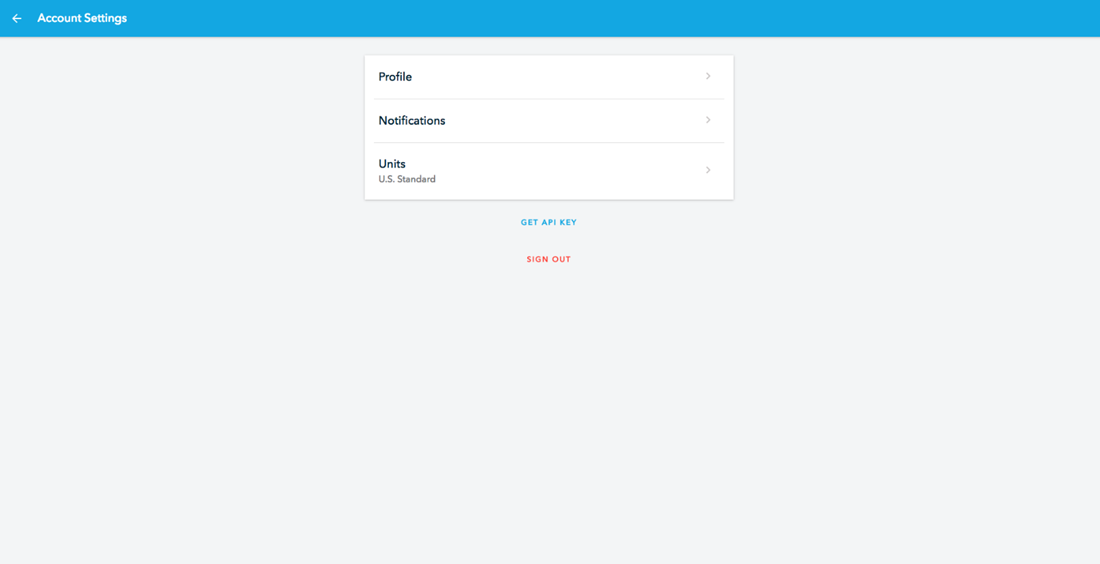
- Log onto Rachio webapp. Click on account settings on the bottom left.

- Then click on ‘Get Api Key’
¶ Driver Configuration
¶ Installation Process
- Install the RachioPro driver in the Elan Configurator.
- Irrigation –> Irrigation controllers –> Add new Irrigation Device
- In V2, click Import RachioPro driver. In V1, navigate to the folder where the driver is located and Choose the RachioPro driver, OK
- If you receive a warning that this is not a Native Elan driver, click OK
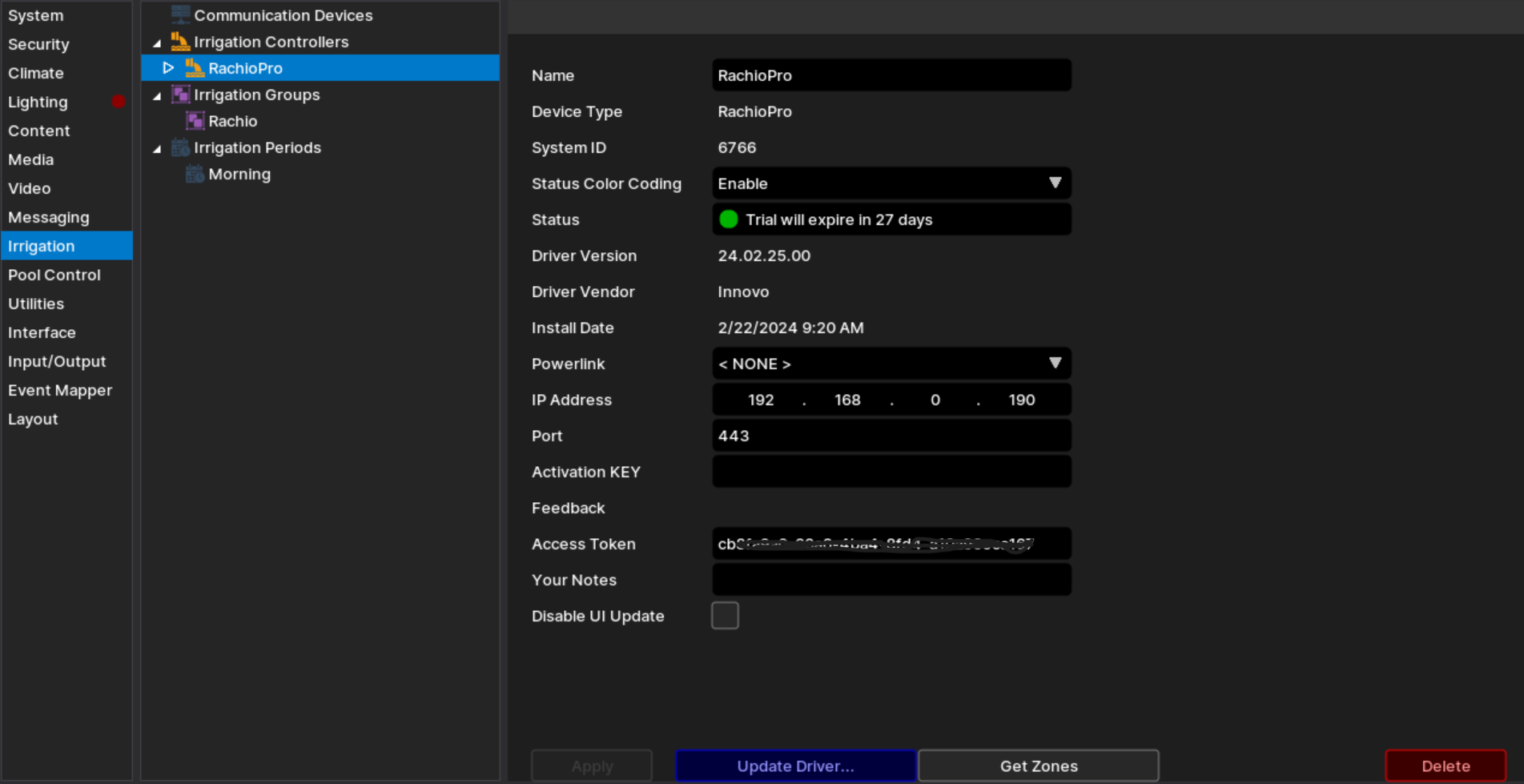
- The Driver will automatically go into trial mode for 30 days. Wait for about 10 seconds and the Status will turn Green.
- Add the Innovo Activation Code received in the email.
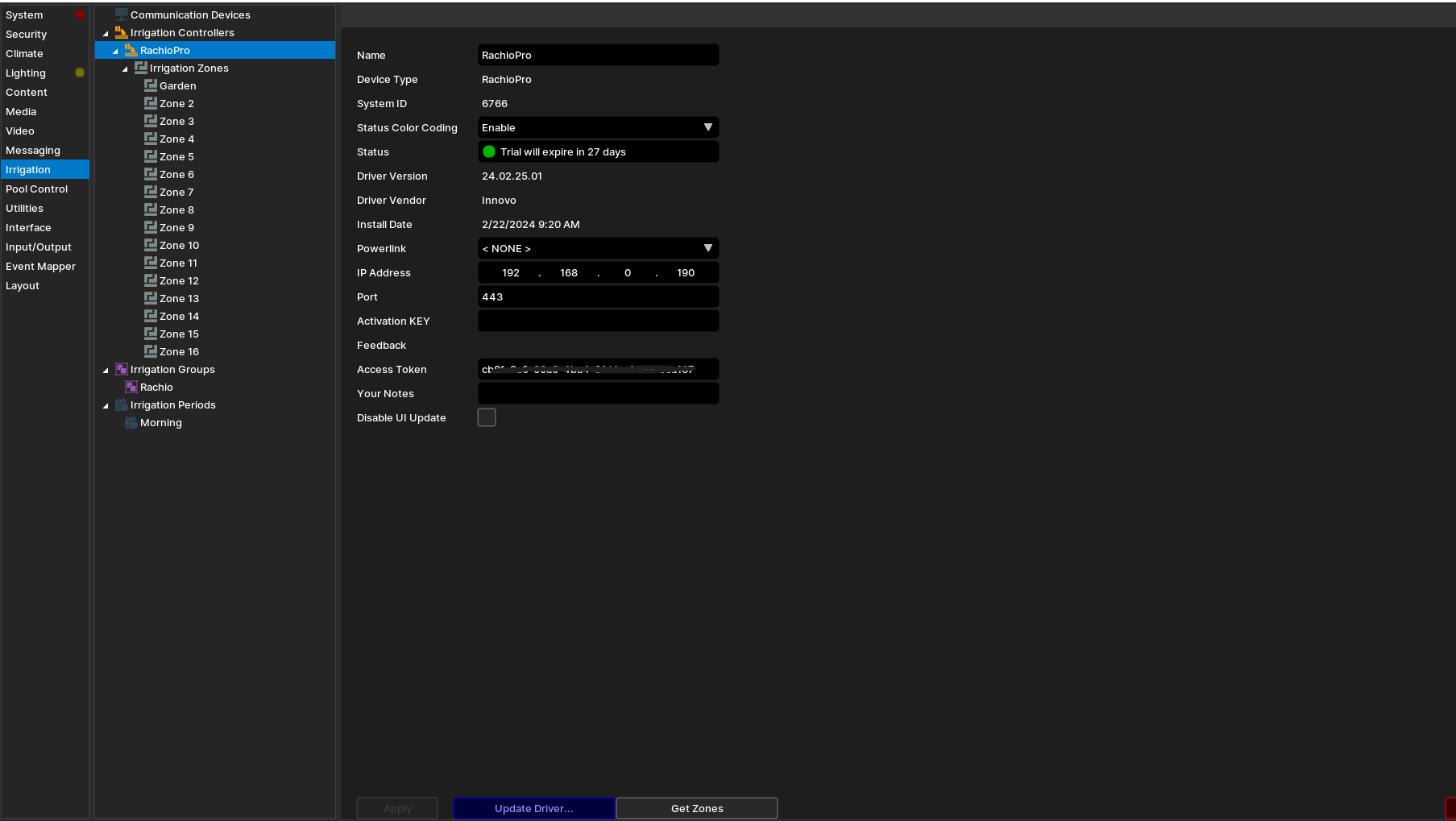
- In the Access Token field add the API token that you have created from the app and then click Get Zones.
- The driver will automatically install all the irrigation zones.
¶ Changelog
¶ Version 26.07.25.00
- Migrated to the latest Innovo activation and licensing platform.
- Legacy dealer activation flow removed — existing activations carry over automatically.